SCP Video Generator
Describe your anomaly — the video will be 5 to 30 seconds
Examples of created videos

Create Videos About Anomalies and Monsters
Generate SCP-style videos about anomalies with AI. Invent your own anomalous object and get a found-footage clip from a containment camera in a minute.
Invent your own anomaly and see it on camera. Describe the object, its containment class and what exactly it does — the AI will shoot a short found-footage clip: a security camera, a timecode in the corner, grain and interference. No editing skills and no 3D software, just a description in your own words.
What You Get
Your own anomaly, not a copy
You invent the object yourself: what it looks like, what it does, how it breaks the rules. Every video is a new SCP that has never existed.
Found footage look
Security camera framing, timecode, grain and glitches — the format that makes an anomaly video look like a real recording.
Sound and voice included
Interference, footsteps, alarms and a containment log read out loud — the clip is scary with the sound on.
Vertical clips from 5 to 30 seconds
9:16 by default — ready for shorts and reels without re-cropping. Start cheap with a 5 second clip and extend what works.
How to Make an SCP Video
- Come up with an anomaly: an ordinary object that behaves wrongly
- Add a containment class — Safe, Euclid or Keter
- Describe one single event the camera catches, not the whole story
- Ask for a security camera, a timecode and grain — that is what sells the effect
- Wait a few minutes and download the finished clip
Where to Use It
Scary videos for shorts and reels
A vertical anomaly clip is ready for a feed straight away — the format that gets rewatched and reshared.
Your own SCP series
Give every anomaly a number and shoot a new clip for each one — a series holds an audience better than single videos.
Illustration for a creepypasta
Turn a written story into a short video insert — text plus footage works better than text alone.
Prank your friends
Send a clip of an anomaly filmed 'in your entrance hall' and watch the replies come in.
Tips for Best Results
- The scariest anomaly is an ordinary thing with one broken rule — a door, a slide, a mirror
- One event per clip. Five seconds do not fit a plot, but they do fit a single wrong movement
- Always ask for a security camera, a timecode and grain — without them the AI draws a glossy trailer
- Do not describe blood or violence: such requests get rejected and the video never gets made
- Silence and a still frame scare better than a monster running at the camera
- Upload a photo of your own entrance hall or yard — an anomaly in a familiar place hits harder
Available Quality Options
Video Specifications
- Duration: 5-30 seconds
- High quality video output 512p or 720p
- Multiple aspect ratios supported
- AI-powered generation
- Standard and High Quality modes generate without sound
- With Sound mode generates video with AI-synthesized audio
- Text overlay is not supported
Note: Some features may be limited depending on the selected quality mode.
Photo-to-Video Generation Tips
When creating video from a photo, the uploaded image becomes the first frame of your video. The more accurately your photo matches your text description, the better the final video will be.
Need to stylize your photo or adapt it for the planned scene? Try our image generator first to prepare the perfect starting image.
User Reviews
Kirill T.
Made an anomaly out of the slide in our yard. The lads in the chat argued for half an hour whether it was real.
Nastya P.
I run a creepypasta channel and used to draw covers by hand. Now every story gets a video and the views doubled.
Egor M.
The 480p tier is the whole point here — the grain makes it look like a real camera. And it costs almost nothing.
Sofia R.
Numbered my anomalies and made a whole series. People wait for the next object now.
All AI for video creation
AI Video Generator
Photo to video AI

Video Intro Maker
Animate Logo
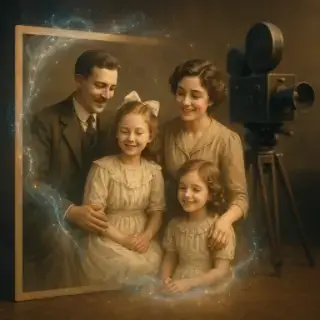
Animate Old Photos

Create Video Greeting Card
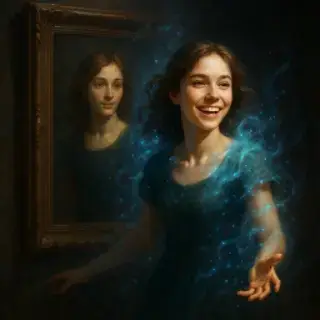
Living Portrait

Animated Avatar

AI Video Generator with Sound

African Greeting Video

Talking Animals Video

Homeless Greeting Video

News Report Video

Greeting from Stranger Girl

New Year Greeting Video

Victory Day Video
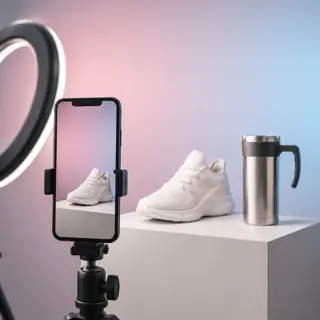
Product Video Maker
Key Features
- AI-powered video generation
- Multiple video styles
- High-quality output
- Fast processing
- Easy to use interface
Why Choose Our AI Video Generator
Our AI video generation platform combines cutting-edge neural network technology with user-friendly design. Create professional-quality videos in seconds without any technical expertise required.
Advanced AI Technology
Powered by state-of-the-art neural networks trained on millions of video samples to ensure high-quality, realistic results.
Fast Processing
Generate videos in under 5 minutes with our optimized AI processing pipeline.
Professional Quality
Create broadcast-quality videos suitable for social media, marketing, and professional presentations.