February 23 Greeting Video
Describe the scene you want: what happens in the frame, who is in it and what should be heard
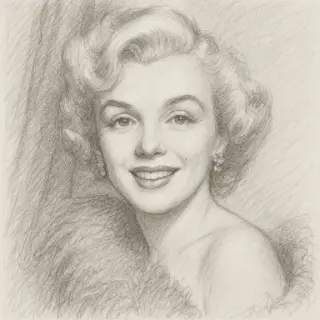
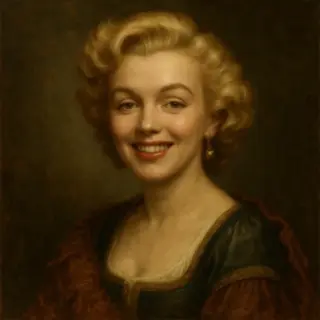
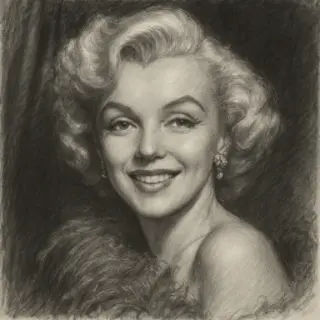
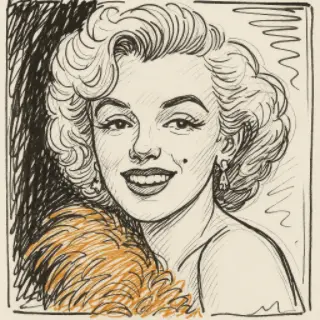
Examples of created videos

Short Video Greeting for Dad, Brother and Colleague
Create a short February 23 video greeting with AI: a daughter, a wife or a colleague speaks warm words to camera in . Vertical, with sound, ready to send to a messenger or post in a story.
On February 23 the same messages get copied from chat to chat. A short video says the words out loud, with a face, a morning kitchen or an office desk behind — and the man you congratulate hears his own name instead of a forwarded line. Describe the scene, add the phrase, and of video are ready for the family chat or a story.
Why This February 23 Video Works
Says the Name Out Loud
A greeting with a name sounds personal from the first second — no one will mistake it for a template from a messenger
One Video for Any Man
Dad, brother, husband, colleague or grandfather: change the words and the scene, and the same preset covers the whole list
Vertical and With Sound
9:16 fills the phone screen with no black bars, and the voice is part of the clip — nothing to record or edit afterwards
Ready in a Couple of Minutes
No camera, no tripod, no light: a child or a colleague can make a greeting during a lunch break
How to Make a February 23 Video Greeting
- Decide who you congratulate: the words for dad, for a brother and for a colleague sound different
- Describe the scene in one or two lines: a morning kitchen, a hallway with a gift, an office desk
- Add the phrase itself, shorter than twenty five words, so the voice fits the
- Pick a ready suggestion below or write your own scene, then press generate
- Watch the clip with sound before sending: the voice and the name are the whole point
Perfect For
For Dad
A daughter with a drawing or a son with a short rhyme — the version that fathers keep in their phone for years
For a Brother
Carnations at the door or a video call to another city: family warmth without long speeches
For a Colleague
A short clip for the work chat instead of another forwarded picture with a tank and a tie
For Grandfather
Quiet words from a granddaughter with a warm scarf in the frame — the version that works best for the older generation
Tips for Best Results
- Keep the phrase under twenty five words: longer text gets cut and the name may be lost at the end
- Put the name in the middle of the phrase, not in the very end, so it is definitely spoken
- Write what should not appear: no on-screen text, no subtitles, no other people — otherwise the AI adds them
- Avoid weapons and military equipment in the prompt: the moderation of the provider cuts such scenes
- Choose one emotion per video: warm, funny or solemn. A mix of all three makes the scene flat
- Add one clear detail to the frame — a carnation, a wrapped gift, a paper star — it carries more than a long list of decorations
Available Quality Options
Video Specifications
- Duration: 5-30 seconds
- High quality video output 512p or 720p
- Multiple aspect ratios supported
- AI-powered generation
- Standard and High Quality modes generate without sound
- With Sound mode generates video with AI-synthesized audio
- Text overlay is not supported
Note: Some features may be limited depending on the selected quality mode.
User Reviews
Olga K.
Made the breakfast scene for my husband in the evening before February 23. He watched it twice, then sent it to his parents saying it was from me. The voice and the name came out very natural.
Daria P.
My daughter is nine and she wanted to congratulate her dad herself. We took the version with the drawing, took two attempts, and on the second one she runs in and says the words almost without mistakes.
Marina S.
I needed a short greeting for the work chat, twenty seconds of my time. The office scene with the gift turned out neat, no tank pictures and no pathos. Colleagues asked where I got it.
Nastya, age 10
I made a video for my grandpa with a scarf. He does not really understand phones, but he watched it three times and said thank you. It was easy to make.
All AI for video creation

AI Video Generator

Photo to video AI

Video Intro Maker

Animate Logo
Animate Old Photos

Create Video Greeting Card

Living Portrait

Animated Avatar

AI Video Generator with Sound

African Greeting Video

Talking Animals Video

Homeless Greeting Video

News Report Video

Greeting from Stranger Girl

New Year Greeting Video

Victory Day Video

Product Video Maker
SCP Video Generator

Living Christmas Card

New Year Fireworks Video

Valentine Greeting Video

Christmas Video Greeting

Chinese New Year 2027 Video

March 8 Greeting Video
Maslenitsa Video

Orthodox Christmas Greeting

Rio Carnival Video

Red Fire Goat Video
Key Features
- AI-powered video generation
- Multiple video styles
- High-quality output
- Fast processing
- Easy to use interface
Why Choose Our AI Video Generator
Our AI video generation platform combines cutting-edge neural network technology with user-friendly design. Create professional-quality videos in seconds without any technical expertise required.
Advanced AI Technology
Powered by state-of-the-art neural networks trained on millions of video samples to ensure high-quality, realistic results.
Fast Processing
Generate videos in under 5 minutes with our optimized AI processing pipeline.
Professional Quality
Create broadcast-quality videos suitable for social media, marketing, and professional presentations.