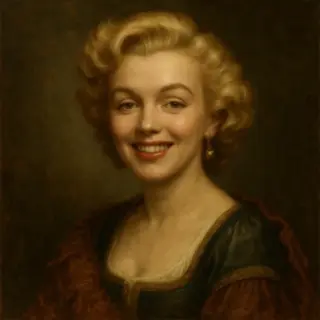
March 8 Greeting Video
Write who you are greeting and a few words to say on camera
Examples of created videos

Flowers and Warm Words for Mom, Sister, Colleague
Generate a March 8 greeting video with a real bouquet and warm words said out loud — for mom, sister or a colleague., vertical, with voice and spring light. Ready to send the same morning, no filming needed.
A shop card ends up behind the fridge. A March 8 video says the words out loud, with a real bouquet in the frame, so mom, a sister or a colleague hears her own name in the first seconds. Describe the scene, write what to say, pick a suggestion below — and send the clip the same morning, straight to messengers.
Why This March 8 Video Works
Says the Name Out Loud
The greeting is spoken, not typed: the recipient hears her own name and the exact words you wanted to say
A Real Bouquet, Not a Sticker
Tulips, mimosa or roses in the frame with spring light — flowers that do not wilt and that you can send at seven in the morning
For Mom, Sister, Colleague
Scenes for family and for work: a kitchen hug, a poem from a child, tulips on an office desk, a call to another city
Vertical, With Sound
9:16 fills the phone screen and the clip fits any story or chat without cutting, loud enough to watch without headphones
How to Make a March 8 Greeting Video
- Decide who you greet: mom, sister, colleague, or a video from a child — the scene and the tone depend on it
- Write the words exactly as you would say them in life, keeping them under thirty words so the voice fits
- Describe the scene in one line: what flowers, where, what kind of light — tulips in the kitchen or roses in the office
- Add what should not appear: no on-screen text, no subtitles, no logos, otherwise the model will add them
- Pick a ready suggestion or your own scene, press generate and check the result with sound before sending
Perfect For
For Mom
Tulips in the morning, a song with a guitar or a short poem from a child — the version that makes her rewatch it
For a Sister
A park meeting with pink tulips and one sincere phrase instead of a forwarded picture from a chat
For a Colleague
Tulips on the desk and a short thank you for the team — appropriate at work and still warm
For a Child to Send
A boy or a girl with one flower reads a poem to mom — you only type the words, the child does not need to be filmed
Tips for Best Results
- Keep the greeting under thirty words: the clip is, longer text gets cut and the name is lost
- Put the name in the middle of the phrase rather than at the very end, so it is definitely spoken
- Name the flowers and the place: red tulips in the kitchen reads far better than abstract spring flowers
- Say no to on-screen text and subtitles — for March 8 the bouquet and the voice carry the whole greeting
- For kids, ask for a child of the stated age in a white shirt: the model keeps proportions and height believable
- Send it in the morning of March 8, not late at night — the surprise works while the day is still ahead
Available Quality Options
Video Specifications
- Duration: 5-30 seconds
- High quality video output 512p or 720p
- Multiple aspect ratios supported
- AI-powered generation
- Standard and High Quality modes generate without sound
- With Sound mode generates video with AI-synthesized audio
- Text overlay is not supported
Note: Some features may be limited depending on the selected quality mode.
User Reviews
Dmitry K.
Made the tulip version for my mom in twenty minutes while I was getting ready for work. She called right away and said she had already shown it to her sister twice.
Olga V.
I did not expect a March 8 video to be this touching. The guitar scene with mimosa on the table made my mom cry, and she is not sentimental at all.
Artyom S.
Used the office scene for a colleague., tulips on the desk, one sincere phrase — the whole team asked where I ordered the video.
Natalia G.
My son is seven, so I typed the poem myself and he watched the boy on screen instead of being filmed. He was proud that it was his greeting.
All AI for video creation

AI Video Generator

Photo to video AI

Video Intro Maker

Animate Logo
Animate Old Photos

Create Video Greeting Card

Living Portrait

Animated Avatar

AI Video Generator with Sound

African Greeting Video

Talking Animals Video

Homeless Greeting Video

News Report Video

Greeting from Stranger Girl

New Year Greeting Video

Victory Day Video

Product Video Maker
SCP Video Generator

Living Christmas Card

New Year Fireworks Video

Valentine Greeting Video

Christmas Video Greeting

Chinese New Year 2027 Video

February 23 Greeting Video

Maslenitsa Video

Orthodox Christmas Greeting

Rio Carnival Video

Red Fire Goat Video
Key Features
- AI-powered video generation
- Multiple video styles
- High-quality output
- Fast processing
- Easy to use interface
Why Choose Our AI Video Generator
Our AI video generation platform combines cutting-edge neural network technology with user-friendly design. Create professional-quality videos in seconds without any technical expertise required.
Advanced AI Technology
Powered by state-of-the-art neural networks trained on millions of video samples to ensure high-quality, realistic results.
Fast Processing
Generate videos in under 5 minutes with our optimized AI processing pipeline.
Professional Quality
Create broadcast-quality videos suitable for social media, marketing, and professional presentations.