Orthodox Christmas Greeting
Describe the scene you want: what happens in the frame, who is in it and what should be heard
Examples of created videos

Christmas Greeting Video with a Candle and a Church in the Snow
Create a warm Orthodox Christmas greeting video with AI: a candle on the window sill, a white church with a golden dome, falling snow and a short wish on screen — for family, godparents and parishioners, without Santa Claus.
Orthodox Christmas is quieter than New Year: a candle, a church in the snow, the Christmas Eve table and one short wish. There is no Santa Claus here and no gifts under the tree, because the video is about the feast itself. Say who you congratulate and what to write on screen, and the AI will make a vertical greeting with warm candle light, falling snow and a golden dome. It is short enough to send to a family chat, to a godmother or to a parish group, and it plays the same on any phone.
What You Get
A candle, a church and snow
The scene of the feast itself: beeswax candles, a white church with a golden dome, falling snow and the Christmas Eve table, without Santa Claus.
, vertical
A 9:16 clip that fills the phone screen: the scene has time to open and the greeting has time to be read.
Russian text on screen
You say what to write — «С Рождеством Христовым!» or the name of the person — and the letters appear in the frame.
For family and for the parish
A card for godparents and grandparents, a greeting in the parish chat, a post for the church account — one scene works everywhere.
How to Make a Christmas Greeting Video
- Choose a scene: a candle on the window sill, a church at dusk, a bell tower, the Christmas Eve table or a family in the churchyard
- Write who the greeting is for and what to put on screen — this text goes into the frame
- Add the limits:, no Santa Claus, no gifts, no cartoon style
- Pick the quality and generate: with sound for the bell and the candle, or without sound for a quiet card
- Check the letters on screen and download the vertical clip for a phone, a chat or a parish post
Where to Send It
Family and godparents
A short warm video instead of a text message: a candle, a church and the names of the people you congratulate.
Parish chat and announcements
A ready greeting for the parish group: the same calm scene and a wish to all parishioners, without shooting and editing.
Church social media
A vertical clip for a post or a story on the feast day: snow, candles and one short line of greeting.
Sunday school and children
A quiet video to show children how the feast looks: the church, the candles and the Christmas Eve table.
Tips for a Warm Video
- Keep the scene quiet: one candle, one church and falling snow read better than a lot of decorations
- Write the greeting short — three or four words fit the frame
- Ask for beeswax candles and warm golden light: that is what makes the video feel like the feast
- Say plainly what not to show: Santa Claus, gifts, reindeer and cartoon characters
- Choose the version with sound if you want the bell ringing and the crackle of the candle
- Generate two variants and keep the one where the letters on screen are easy to read on a phone
Available Quality Options
Video Specifications
- Duration: 5-30 seconds
- High quality video output 512p or 720p
- Multiple aspect ratios supported
- AI-powered generation
- Standard and High Quality modes generate without sound
- With Sound mode generates video with AI-synthesized audio
- Text overlay is not supported
Note: Some features may be limited depending on the selected quality mode.
User Reviews
Natalia S.
Sent the video to my godmother on Christmas Eve. She said it is the warmest card in years: a candle, snow and no Santa Claus at all.
Igor V.
Made a greeting for our parish chat: one scene, the wish «С Рождеством Христовым!» on screen. Nobody believed it was made by a neural network.
Anna M.
I was looking for a card without Santa Claus and reindeer and found exactly what I needed: a church in the snow and a candle on the window. Posted it to my stories.
Sergey P.
Showed the video to the children at Sunday school: quiet, calm, the church and the candles are clearly seen. Now we make one like this every year.
All AI for video creation

AI Video Generator

Photo to video AI

Video Intro Maker

Animate Logo
Animate Old Photos

Create Video Greeting Card

Living Portrait

Animated Avatar

AI Video Generator with Sound
African Greeting Video

Talking Animals Video

Homeless Greeting Video

News Report Video

Greeting from Stranger Girl

New Year Greeting Video

Victory Day Video

Product Video Maker
SCP Video Generator

Living Christmas Card
New Year Fireworks Video

Valentine Greeting Video

Christmas Video Greeting

Chinese New Year 2027 Video

February 23 Greeting Video

March 8 Greeting Video
Maslenitsa Video

Rio Carnival Video
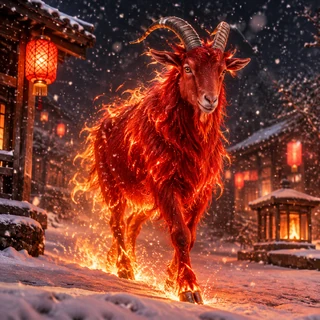
Red Fire Goat Video
Key Features
- AI-powered video generation
- Multiple video styles
- High-quality output
- Fast processing
- Easy to use interface
Why Choose Our AI Video Generator
Our AI video generation platform combines cutting-edge neural network technology with user-friendly design. Create professional-quality videos in seconds without any technical expertise required.
Advanced AI Technology
Powered by state-of-the-art neural networks trained on millions of video samples to ensure high-quality, realistic results.
Fast Processing
Generate videos in under 5 minutes with our optimized AI processing pipeline.
Professional Quality
Create broadcast-quality videos suitable for social media, marketing, and professional presentations.